
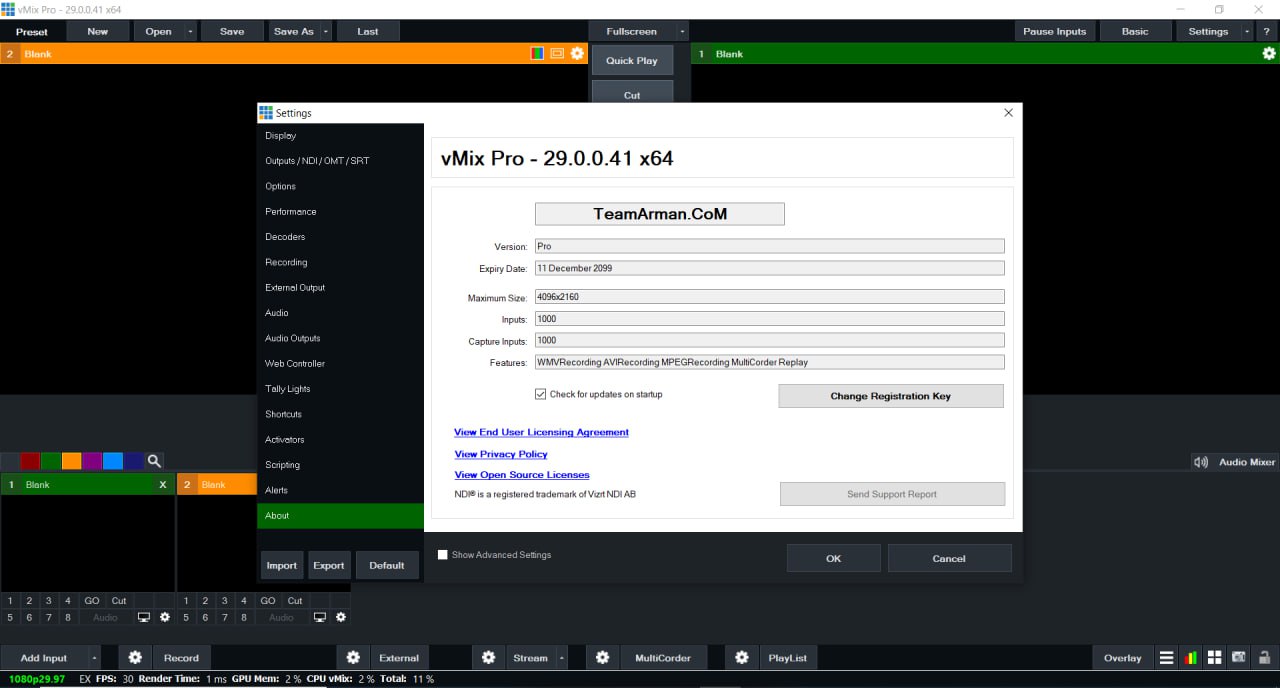
Summary
Vmix 29 is a professional live video production software designed for broadcasters, content creators, and live streaming enthusiasts. It offers a powerful platform to mix, switch, and stream video content in real time, providing high-quality output for events, online shows, and live productions. Vmix 29 supports multiple video sources, including cameras, videos, images, and graphics, making it an all-in-one solution for dynamic productions. Its intuitive interface allows users to manage complex workflows efficiently while maintaining creative control over the live broadcast. With advanced features like virtual sets, multi-view, and live effects, Vmix 29 ensures professional results even for smaller production teams.Key Features of Vmix 29
Vmix 29 comes with a wide array of features that enhance live video production, offering both flexibility and precision. It supports 4K video input, multi-camera switching, and real-time mixing, allowing seamless transitions between different sources. The software includes built-in graphics and overlays, enabling broadcasters to display titles, lower-thirds, and animations during live streams. Vmix 29 also supports external control through MIDI devices, stream decks, and touch panels, giving users tactile control for professional workflows. Its live recording and replay features make it suitable for sports events, conferences, and concerts, providing both live and post-event content creation capabilities.Multi-Camera Support and Switching
One of the standout capabilities of Vmix 29 is its support for multi-camera setups, which is crucial for dynamic live production. Users can connect multiple cameras, PTZ devices, and capture cards to create a rich and immersive viewing experience. The software allows seamless switching between angles, supporting automated transitions or manual control for precise timing. Multi-view layouts enable producers to monitor all camera feeds simultaneously, ensuring smooth execution during live events. By offering robust camera integration, Vmix 29 helps content creators deliver professional-quality productions comparable to traditional broadcast studios.Real-Time Graphics and Overlays
Graphics and overlays are essential for enhancing viewer engagement, and Vmix 29 provides a powerful suite of tools for this purpose. Users can add lower-thirds, scoreboards, logos, and animated titles to live streams effortlessly. The software supports chroma keying, enabling virtual backgrounds and green-screen effects for creative storytelling. Customizable templates allow for consistent branding and professional presentation across broadcasts. These real-time graphics capabilities help producers communicate key information, enhance visual appeal, and maintain audience attention throughout the live event.Streaming and Output Capabilities
Vmix 29 supports streaming to multiple platforms simultaneously, including YouTube, Facebook Live, Twitch, and custom RTMP servers. Users can stream in various resolutions, including HD and 4K, ensuring high-quality video output for different audiences. The software also allows live recording alongside streaming, providing content for post-production or on-demand viewing. Advanced audio mixing ensures that sound levels remain balanced, whether using microphones, audio interfaces, or system sounds. By offering both professional streaming and recording features, Vmix 29 becomes a versatile solution for live events, webinars, and online shows.Virtual Sets and Scene Management
Vmix 29 includes an array of virtual sets, giving productions a polished, studio-like appearance without the need for physical sets. Users can customize scenes, backgrounds, and camera angles, creating immersive environments for news, interviews, or talk shows. Scene management features allow producers to pre-configure multiple layouts and switch between them instantly during live events. The software supports multi-layered scenes, including video, graphics, and effects, enabling complex productions to be handled smoothly. This virtual set functionality enhances visual storytelling, making Vmix 29 suitable for professional-grade broadcasting and online content creation.Audio and Video Effects
Vmix 29 provides comprehensive audio and video effects that elevate live productions to professional standards. Users can apply filters, color correction, transitions, and live effects to video sources for a polished look. Audio tools include EQ, compression, noise suppression, and multi-channel mixing, ensuring clear and balanced sound. The software supports real-time effects, allowing adjustments on the fly during live broadcasts. By integrating these tools directly into the platform, Vmix 29 reduces the need for additional software, streamlining workflow and saving production time. These capabilities are crucial for delivering high-quality, engaging content to live audiences.Recording and Replay Features
Recording and instant replay are critical for sports, events, and live shows, and Vmix 29 excels in these areas. Users can record multiple inputs simultaneously, allowing for detailed post-event editing or archival purposes. The software provides instant replay capabilities, enabling highlights to be reviewed and broadcast live within seconds. Replay features include slow-motion, fast-motion, and frame-by-frame analysis, making it ideal for sports coverage and critical event moments. By combining recording and replay in one platform, Vmix 29 provides a comprehensive solution for real-time and post-production workflows.Integration and Compatibility
Vmix 29 is compatible with a wide range of hardware and software, making it easy to integrate into existing production environments. It supports capture cards, cameras, PTZ devices, audio mixers, and control panels from various manufacturers. The software also works with external graphics engines, NDI sources, and streaming platforms, ensuring maximum flexibility. Users can customize workflows to suit their production needs, whether for live events, studio setups, or remote broadcasts. Its broad compatibility makes Vmix 29 a reliable choice for professionals seeking a versatile and scalable live production solution.Advantages of Using Vmix 29
There are several advantages to using Vmix 29 for live video production and streaming. Its intuitive interface allows both beginners and experienced producers to operate efficiently without a steep learning curve. The software combines switching, mixing, streaming, recording, and effects in a single platform, reducing the need for multiple tools. Its multi-camera support, virtual sets, and real-time graphics make productions visually appealing and professional. Advanced audio tools and seamless integration enhance the overall production quality. By offering a complete solution for live video production, Vmix 29 helps creators save time, reduce costs, and deliver high-quality content consistently.Applications of Vmix 29
Vmix 29 is used across diverse industries and production scenarios due to its versatile features. In broadcasting, it powers live news, talk shows, and sports events with professional-level production quality. Corporate users rely on it for webinars, product launches, and live presentations, ensuring polished communication with audiences. Educational institutions use Vmix 29 for online classes, virtual graduations, and streaming lectures with multiple camera angles and virtual backgrounds. Event organizers employ the software for concerts, conferences, and religious services, providing seamless live streaming and recording capabilities. Its adaptability across different applications demonstrates why Vmix 29 is a preferred tool for modern content creators.HomePage
Note: This price Is For Single PC License. If You Want To Buy KeyGen Then You Have To Go On Telegram ID @playoutking
Our Paid Service
If you want to Purchase KeyGen Activator / Cracked Version /License Key
Contact Us on our :
Join Us For Update :
Join Us For Updated :
Crack Software Policies & Rules:
You Can test through AnyDesk before Buying,
And When You Are Satisfied, Then Buy It.
Lifetime Activation, Unlimited PCs/Users.
If you want to Purchase KeyGen Activator / Cracked Version /License Key
Contact Us on our :
Join Us For Update :
Join Us For Updated :
Crack Software Policies & Rules:
You Can test through AnyDesk before Buying,
And When You Are Satisfied, Then Buy It.
Lifetime Activation, Unlimited PCs/Users.