

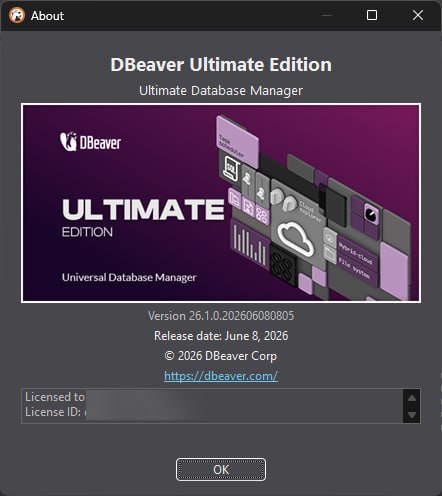
Summary
DBeaver Ultimate Edition v26.1 is the premium, multi-cloud database management tool designed for enterprise environments. It allows users to seamlessly unify and manage databases across AWS, Azure, GCP, and on-premise servers from a single interface. The name DBeaver comes from “Database Beaver” – a tool that works hard to manage your data. Ultimate Edition is the highest tier. It includes all features of Lite and Enterprise editions, plus tools purpose-built for complex, cloud-heavy infrastructures. Version 26.1 is the first major release of 2026. The .1 means bug fixes and small improvements.Why Enterprises Need Better Database Tools
Enterprises today manage databases everywhere. Some databases run on AWS. Some run on Azure. Some run on Google Cloud. Some run on-premise in your own data center. Each cloud provider has its own tools. Each database type has its own client. Your team jumps between multiple applications. This is inefficient. Errors happen. Security is harder to maintain. DBeaver Ultimate Edition solves this by providing one tool for all databases. You connect to any database from a single interface. You manage cloud storage alongside databases. You run queries across different platforms. The learning curve is reduced. Your team becomes more productive.The Universal Database Management Concept
It supports over 100 databases. Relational databases like MySQL, PostgreSQL, SQL Server, and Oracle. NoSQL databases like MongoDB, Cassandra, and Redis. Cloud databases like Redshift, Google BigQuery, and Oracle Cloud. The new version 26.1 adds support for Microsoft Fabric, Valkey, and GizmoSQL. This means your team uses one tool for everything. No more switching between database clients. No more learning new interfaces for each database. The Universal Database Management concept is simple: one tool, all databases, one interface.What A New DBeaver Ultimate User Experiences
You download DBeaver Ultimate Edition v26.1 from the DBeaver PRO Official Platform. You install it on Windows, macOS, or Linux. The installation is straightforward. You launch the software. The interface is clean and modern. The main window shows a connection manager on the left. This is where you add your databases. You click the New Connection button. You choose your database type. You enter connection details like host, port, username, and password. The software connects. You see your database schema. You run your first query. SELECT * FROM users LIMIT 10. The results appear instantly. Within 15 minutes, you are connected and querying.Can You Connect To A Database And Run A Query
Set a timer for 30 minutes. Open it. You have a PostgreSQL database running in AWS RDS. Your goal is to connect and run a query. Minutes 1 to 5, download and install DBeaver Ultimate. Minutes 6 to 10, open the software. Click New Connection. Choose PostgreSQL. Minutes 11 to 15, enter connection details. Host, port, database name, username, password. Test the connection. Minutes 16 to 20, explore the database schema. See the tables, views, and functions. Minutes 21 to 25, write a query. SELECT * FROM orders WHERE order_date > ‘2026-01-01’. Run it. Minutes 26 to 30, view the results. Export them to CSV if needed. Most users complete this challenge within 30 minutes.Where DBeaver Ultimate 26.1 Makes Daily Work Easier
Here are the workflows that DBeaver Ultimate Edition v26.1 improves significantly:- Connect to any database from a single interface
- Run SQL queries with an advanced SQL editor and AI assistant
- Browse cloud storage from AWS, Azure, and GCP
- Visualize query execution plans to optimize performance
- Monitor database connection sessions and user access
- Perform complex schema migrations across different database types
- Export query results to multiple formats, including CSV, Excel, and JSON
- Use AI Chat to ask questions about the database schema and data
- Add MCP servers to give the AI model deeper knowledge of your database
- Run the dbvr CLI for headless database operations
- Connect to external MCP servers for context-aware AI assistance
dbvr CLI – The New Open Source Tool In The DBeaver Family
Version 26.1 introduces dbvr CLI, a lightweight command-line database management tool. It is available in two versions. dbvr Community is open source under the Apache License 2.0. dbvr is the full-featured commercial version. Core features include query execution, result export to local disk, and metadata management. The commercial version adds advanced features like cloud storage export, NoSQL support, enterprise SSO, secret management, and MCP server configuration.You can run DBVR as an MCP server. This means you can create an MCP configuration for a specific connection. dbvr generates a ready-made JSON snippet to paste into your IDE or third-party AI tool. For example, you can run Claude CLI on the same server as dbvr. Once connected via MCP, Claude can browse catalogs, schemas, and tables, read table structures, and run SQL queries.
FAQ
Q1: What is DBeaver Ultimate Edition v26.1?It is the premium, multi-cloud database management tool for enterprise environments. It unifies and manages databases across AWS, Azure, GCP, and on-premise from a single interface.
Q2: What databases does DBeaver Ultimate support?
It supports over 100 databases, including MySQL, PostgreSQL, SQL Server, Oracle, MongoDB, Cassandra, Redis, Redshift, Google BigQuery, and Oracle Cloud.
Q3: What is MCP integration in DBeaver Ultimate?
MCP stands for Model Context Protocol. You can add external MCP servers to give your AI Assistant deep visibility into your database schema and context.
Q4: Is there a free trial of DBeaver Ultimate?
Yes. You can download the Ultimate Edition to start a 14-day free trial on the DBeaver PRO Official Platform.
Q5: What are the system requirements?
It runs on Windows, macOS, and Linux. It requires at least 1 GB of RAM (4 GB recommended).
Q6: What is dbvr CLI?
It is a lightweight command-line database management tool. There is an open-source Community version and a full-featured commercial version.
Q7: Does DBeaver Ultimate support cloud storage?
Yes. Cloud Storage Explorer lets you manage storage services across AWS, Azure, and GCP.
Q8: Can I run dbvr as an MCP server?
Yes. dbvr can generate a ready-made JSON snippet for your IDE or third-party AI tool to connect via MCP.
Q9: What is new in DBeaver 26.1?
Version 26.1 adds support for Microsoft Fabric, Valkey, GizmoSQL, external MCP servers, dbvr CLI, and a redesigned Query Execution Plan.
Technical Specifications
| Specification | Details |
|---|---|
| Software Name | DBeaver Ultimate Edition v26.1 |
| Category | Database Management Tool |
| Developer | DBeaver Corporation |
| Supported Databases | 100+, including MySQL, PostgreSQL, SQL Server, Oracle, MongoDB, Cassandra, Redis, Redshift, BigQuery, Fabric, Valkey, GizmoSQL |
| Cloud Support | AWS, Azure, GCP, Oracle Cloud |
| Key Features | Cloud Storage Explorer, MCP Integration, AI Chat, dbvr CLI, Advanced Administration |
| Operating Systems | Windows, macOS, Linux |
| Minimum RAM | 1 GB (4 GB recommended) |
| Free Trial | 14 days |
| License Type | Commercial |
HomePage
Note: This price Is For Single PC License. If You Want To Buy KeyGen Then You Have To Go On Telegram ID @playoutking
Our Paid Service
Looking for full-version software without limitations? You’re in the right place. Instead of wasting time on unreliable or outdated sources, unlock a powerful bundle of 10k+ premium tools covering marketing, SEO, broadcasting, automation, and business productivity — all in one place at an affordable price. This collection is specially curated for freelancers, agencies, and business owners who want fast, real results with professional tools.
Direct contact: :
Join Us For Update :
Join Us For Updated :
You Can test through AnyDesk before Buying,
And When You Are Satisfied, Then Buy It.
Unlimited PCs/Users.
Join today and upgrade your workflow with premium tools.
Looking for full-version software without limitations? You’re in the right place. Instead of wasting time on unreliable or outdated sources, unlock a powerful bundle of 10k+ premium tools covering marketing, SEO, broadcasting, automation, and business productivity — all in one place at an affordable price. This collection is specially curated for freelancers, agencies, and business owners who want fast, real results with professional tools.
Direct contact: :
Join Us For Update :
Join Us For Updated :
You Can test through AnyDesk before Buying,
And When You Are Satisfied, Then Buy It.
Unlimited PCs/Users.
Join today and upgrade your workflow with premium tools.